International Fluid Power Inc.
International Fluid Power - Innovative Partners For Global Sourcing Of Fluid Power Products. Your Complete Hydraulic Source in SE Minnesota.

What Is a Mini UPS for WiFi Router and How Does It Work?
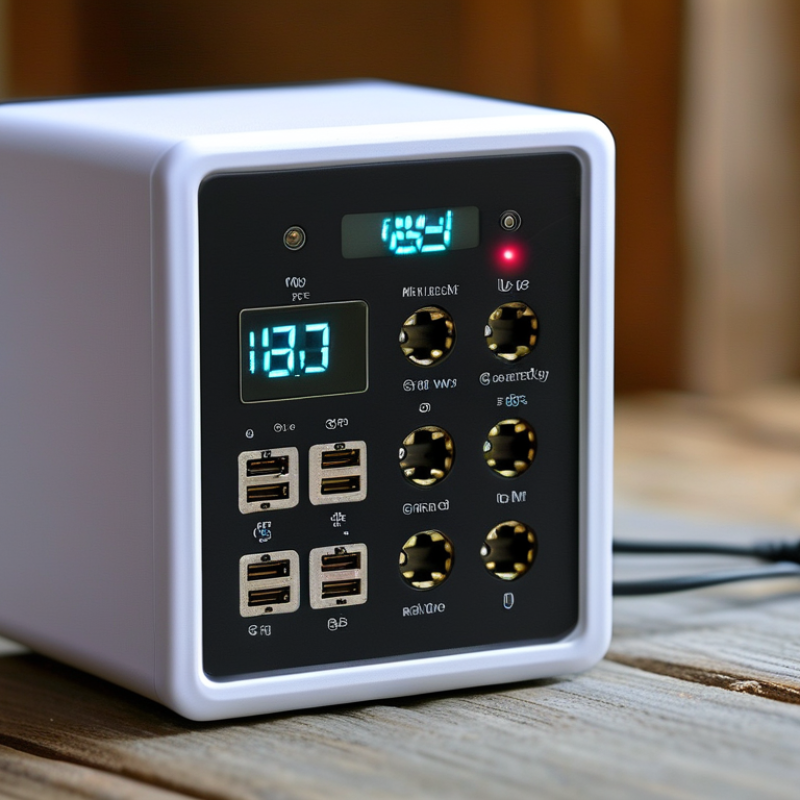
A Mini Ups For Wifi Router is a compact backup power device designed to keep your internet connection available during short outages. It usually contains a rechargeable battery, charging circuit, and DC output ports. When household power is available, the unit charges quietly beside the router. When power fails, it switches to battery output, often within a brief interval that prevents the router from restarting.
The basic idea sounds simple. However, reliable performance depends on details. Router voltage, current requirements, connector size, and battery capacity must match. A 12V router should not receive an unsuitable voltage. That mistake can cause unstable operation or permanent damage. Check the router label before buying.
In practical use, a Mini Ups For Wifi Router may keep a single router running for several hours. Actual runtime changes with battery condition, WiFi traffic, optical terminals, and connected devices. A bright status light can show charging, backup mode, or low battery. Some models also support ONU devices, cameras, or small network switches, but their total load must remain within the rated limit.
Real-world testing matters more than a promising runtime claim. Try the unit during a planned test, not during an emergency. Watch for heat, loose connectors, unexpected restarts, or reduced backup time. It is easy to overlook cable compatibility. I would also recheck performance after several months, because batteries age and household network demands change. This guide explains how the device works and how to select one with safer, more dependable expectations.
Mini UPS Definition: 5–12 V DC Backup Power for WiFi Routers
A mini UPS for a WiFi router is a compact battery system that supplies 5–12 V DC when mains power fails. Unlike a conventional UPS, it usually avoids AC conversion. It stores energy in rechargeable cells, then sends regulated DC power through a compatible output cable. The router can keep working while lights are off.
The voltage must match the router’s label. So must the connector size, polarity, and current rating. A 12 V router should not receive 9 V. That sounds obvious, but field mistakes happen. During normal operation, the mini UPS charges its battery and passes power to the router. When the adapter loses input power, an internal control circuit switches to battery output, often within milliseconds. Runtime depends on battery capacity, router consumption, battery age, and conversion losses.
The need is measurable. The Uptime Institute’s 2024 Global Data Center Survey reported that 54% of respondents experienced an outage costing more than 100,000 dollars. Home networks are smaller, but the same weakness remains: one power interruption can break calls, security access, or remote work. A mini UPS cannot fix poor wiring or an overloaded adapter. It also cannot promise the printed runtime forever. Testing it under real load is wiser than trusting a box label.
What Is a Mini UPS for WiFi Router and How Does It Work? - Mini UPS Definition: 5–12 V DC Backup Power for WiFi Routers
| Data Dimension | Typical Real-World Information | How It Applies to a WiFi Router |
|---|---|---|
| Basic Definition | A mini UPS is a compact uninterruptible power supply that stores electrical energy and provides backup power when the normal power source fails. | It keeps a compatible router or optical network terminal powered during short power interruptions, helping maintain network connectivity. |
| Output Voltage | Common DC output levels include 5 V, 9 V, and 12 V. | The output voltage must match the router's required input voltage. A voltage mismatch may prevent operation or damage the equipment. |
| Output Current | Typical compact units provide approximately 1 A to 2 A on a selected output, depending on the design and operating mode. | The available current should be equal to or greater than the router's rated input current. The router draws only the current it needs under normal conditions. |
| Power Rating | Many small DC UPS units are designed for loads in the approximate range of 10 W to 24 W. | Calculate router power with the formula: Power (W) = Voltage (V) × Current (A). For example, a 12 V, 1 A router requires up to 12 W. |
| Input Power | The UPS normally receives power from an external AC adapter, which converts household AC electricity into low-voltage DC power. | During normal operation, the adapter powers the router and charges the internal battery at the same time. |
| Battery Type | Common battery technologies include lithium-ion and lithium-polymer cells. Some larger compact units use rechargeable lead-acid batteries. | Lithium-based batteries allow a smaller and lighter enclosure, while lead-acid batteries are generally heavier and may offer a lower energy density. |
| Battery Capacity | Capacity is commonly stated in watt-hours (Wh) or milliampere-hours (mAh). A typical small unit may store roughly 10 Wh to 40 Wh of energy. | Watt-hours provide a more useful comparison across different voltages. Battery energy can be estimated as: Wh = V × Ah. |
| Backup Runtime | Runtime depends on battery capacity, conversion efficiency, and connected load. A small UPS may provide approximately 1 to 8 hours for a low-power router. | For a 12 W load, a 24 Wh battery may theoretically provide 2 hours before losses. Practical runtime is shorter because of conversion and battery-discharge losses. |
| Power Conversion | A DC UPS may use power-management circuitry to charge the battery and regulate battery voltage to the selected output voltage. | Voltage regulation helps maintain a stable DC supply as the battery voltage changes during discharge. |
| Transfer During Outage | When the external DC input disappears, the UPS control circuit switches the load to battery power, often with a very short interruption. | A properly matched unit can reduce the chance that the router restarts during a brief outage. Actual transfer performance varies by design. |
| Charging Function | The built-in charging circuit replenishes the battery whenever external power is available. Charging time commonly ranges from several hours to overnight. | The router can usually remain connected while the battery is charging, provided the UPS supports simultaneous charging and load operation. |
| Protection Features | Common protections include overcharge, over-discharge, short-circuit, overcurrent, and input surge protection. | These features help protect the UPS and connected low-voltage equipment, but they do not replace a properly grounded surge-protection system for the entire electrical installation. |
| Output Connector | Barrel connectors are widely used for DC networking equipment. Some models also provide USB outputs for 5 V devices. | The connector size and polarity must match the router's original power adapter. A commonly used barrel plug size is 5.5 mm outer diameter with a 2.1 mm inner diameter, but it is not universal. |
| Polarity | Many networking power adapters use center-positive polarity, although this should never be assumed without checking the equipment label or adapter specification. | Incorrect polarity can prevent operation and may damage the router. Confirm the polarity symbol before connecting the UPS. |
| Typical Applications | Mini UPS units are used for WiFi routers, fiber terminals, modems, security cameras, access points, and other low-power DC devices. | They are most useful where short power cuts, unstable electricity, or accidental unplugging could interrupt internet access. |
| Key Compatibility Check | Verify output voltage, maximum current, connector dimensions, polarity, and total power consumption before use. | A UPS is suitable only when all electrical specifications match the router and any other connected device. |
| Main Limitation | A mini UPS supplies backup power but does not create an internet connection when the service provider's network or fiber equipment is offline. | If the modem, optical network terminal, or upstream network equipment also loses power, the router may remain on but internet access can still be unavailable. |
Important: Always compare the router's original power-adapter label with the mini UPS specifications. The voltage, polarity, connector size, and required current must be compatible before connection.